
About the project
This is an international e-commerce client in the fashion industry.
Our strategy focused exclusively on organic growth, without any spending on advertising.
I worked with them as a strategic partner and consultant, focusing specifically on resolving complex technical SEO issues.
The problems
- Technical SEO problems
- Two different data sources
- Products didn’t optimize well
- Product feed didn’t clean
The approach
Before setting up the Google Merchant Center, many technical aspects needed to be fixed.
We can see a few below.
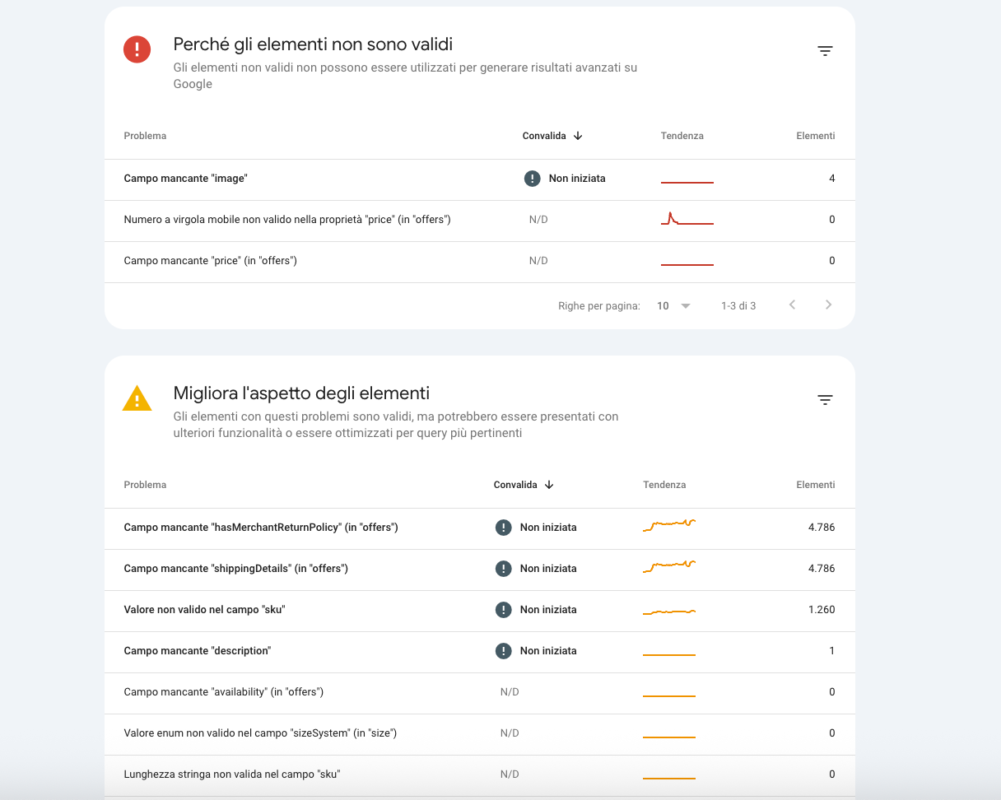
Structured Data Errors
It was ideal to resolve the “red” problems first, while for the minor “warnings” in yellow, we could pay less attention.
In this section, we resolved different old issues, such as:
- Missing field “hasMerchantReturnPolicy” (in “offers”) → This attribute needed to be inside “Offers.”
- Missing field “shippingDetails” (in “offers”) → This attribute needed to be inside “Offers”
- …
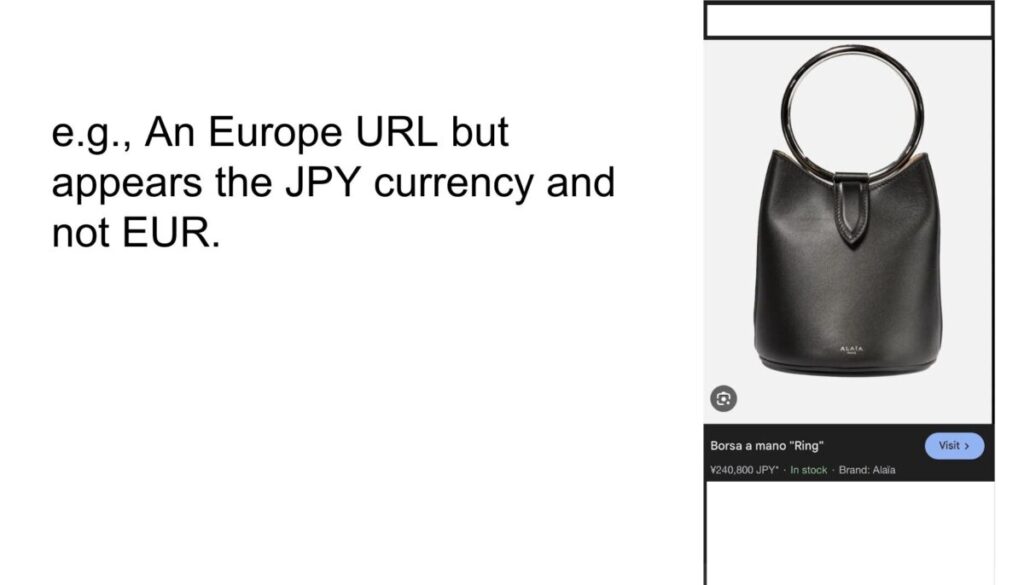
Structured Data for Country Showed the Wrong Country and a Different Currency
Issue: The structured data (schema markup) was not properly localized for each regional domain. For example, the Japan domain was displaying EUR currency instead of JPY, which created inconsistencies between the market being served and the data presented to search engines.
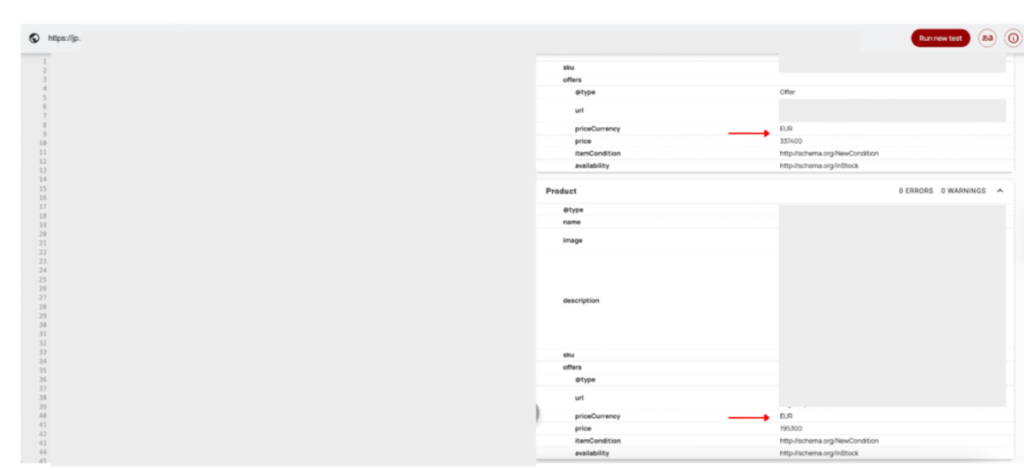
Solution: We ensured that structured data reflected the correct currency and regional information for each geolocalized version of the site. Each country-specific domain was configured to serve structured data with:
- Appropriate currency (JPY for Japan, USD for US, GBP for UK, etc.)
- Correct country/region code
- Localized pricing information
- Proper language indicators
This alignment between domain, structured data, and product information was essential for both Google Merchant Center compliance and accurate representation in rich results.
SERP Visibility for Product Listings
Issue: The product feed input file contained information that differed from what was displayed on the page (schema markup) and what was initially received by search engines (HTTP 4xx) and Google Merchant Centre.
We exported the product feed file and origin file so that the DEV or internal team could identify any issues.

Solution: We asked the technical team to sanitize the input file, ensuring that the information inserted reflected the state of on-page components, including actual prices and real page status codes.
Additionally, we advised adding this data to the input file and in Shopify:
- Age → here’s a Google guide.
- Sizes → the data was different; here’s a specific Google guide. In any case, it was better to maintain a separate column or modify the current one with standard sizes “S”, “M”, etc.
- ID → they didn’t match; in the “problems” sheet, they appeared longer compared to those in the “originals” sheet. This created problems when cross-referencing data. The solution was that matching could be done by product name.
- Gender → here’s a Google guide.
- Price → the price needed to have the currency and the correct decimal separator; for example, in the sheet it only said 120, but it should have been 120.00 EUR. Google guide.
Geo-redirect Based on User IP Address
Issue: Users clicked on a page in SERPs and were automatically redirected to the destination page that corresponded to their IP address. Besides forcing the user’s customer journey, search engines could allocate crawl budget unevenly since Googlebot crawls by default from the United States.
When we searched for any query with a US VPN, the x-default hreflang appeared first; in this case, it was the main page.
However, when entering the page, a geo-redirect was performed to https://us.example.com/collections/men toward the geolocalized search, in this case US.
Description
The site used redirects based on IP or browser settings to display localized versions.
Despite Google serving static pages (https://example.com) in SERPs that reflected the correct indications in hreflang markup, the user’s click on any SERP result was detected via their IP address.
This caused an automatic redirect toward the geolocalized page, invisible to search engines as it was performed browser-side.
This approach carried some significant risks.
SEO Side
- Googlebot crawled primarily from the United States and without Accept-Language headers, so it might only access the English version, ignoring other languages/regions served by the business.
- The use of geo-redirects could cause missing indexation of local versions, duplicate content, and issues with prices/currencies on e-commerce sites.
UX Side
- Users could be bilingual and IP was no longer a reliable indicator of language preference.
Note
The ?srlstid= parameter was detected in URLs in search results due to Google Merchant Centre autotagging.
It was necessary to ensure that canonicals were configured correctly in Shopify, and possibly modify the traffic attribution system in analytics by excluding the ?srlstid= parameter.
Recommendation
We recommended the following:
- Disable IP-based geo-redirects.
- Ensure that the existing static page (https://example.com) has links in <a href= format to all local versions.
- Display a JavaScript banner or pop-up that informs the user about available versions and allows manual selection.
- Set session cookies to remember the user’s choice (with opt-out option for GDPR).
Desired Outcome
- No automatic IP-based redirects active.
- Presence of an accessible static page with links to all regional versions and hreflang=”x-default” – https://example.com
- Active banner or pop-up signaling alternative page versions.
- Ability for the user to select language/currency via menu or links.
- Consistent prices and currencies between page, schema, and feed.
- Googlebot must be able to access and index every language/regional version of the site through a unique URL.
URL Structure Discussion
Issue: The ecommerce had a complex structure.
It had subdomains:
- eu.example.com
- es.example.com
- …
Languages:
- Italian
- English
This meant that we had many subdomains that didn’t have their own native language.
The question I asked was: What level of depth did we need in eCommerce? Were all these distinct domains necessary – fr. de. us. au. etc.?
In my opinion, no. It was better to focus on 1-2-3 domains maximum, also because we only had Italian and English languages available.
At the moment, the current structure didn’t present a big problem, but we needed to understand that it was more resource-intensive because it required more time to manage. It also had pros, because if you wanted to establish a presence in the US and UK markets, with the uk.example.com and us.example.com domains, you could achieve excellent rankings thanks to Google’s favoritism toward this structure.
When we looked at the HREFLANG structure, we could see there were many hreflang tags (and they continued):
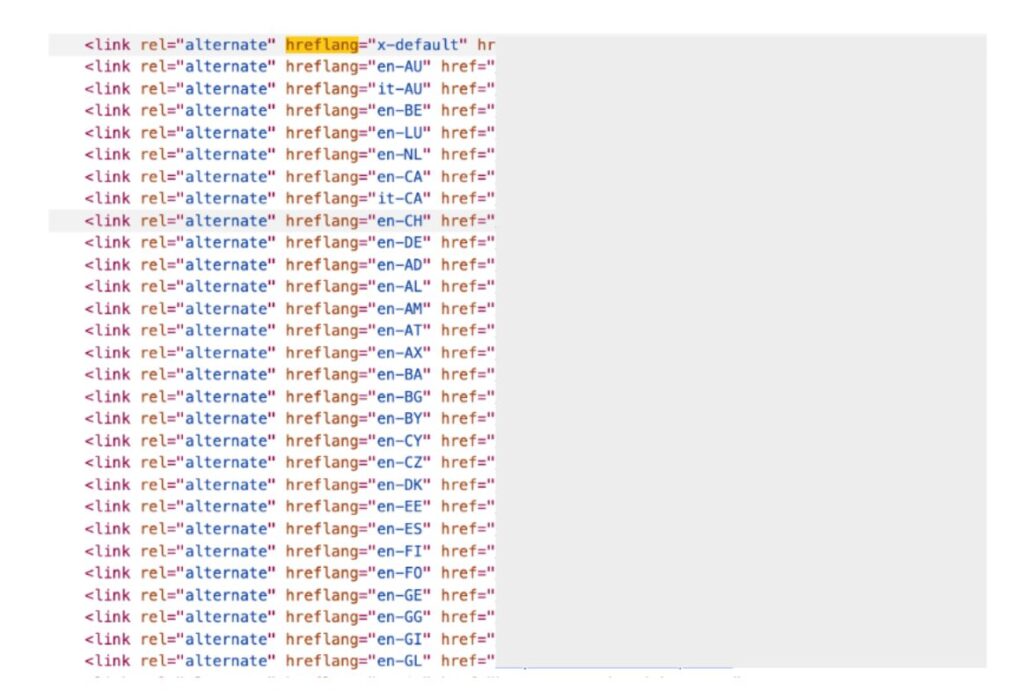
I proposed doing some cleanup:
- Remove all hreflang tags from the head and insert the hreflang tags for each country’s sitemap.
- On the homepage, you can show only the countries that are relevant to the business (for example, the US one). This way, Google will prioritize those domains and not the irrelevant ones. This will also help improve the crawl budget.
I also proposed this solution to the DEV: If we used, for example, eu.example.com for multiple European countries simultaneously, we shouldn’t specify every single hreflang. We could insert a generic hreflang for Europe:
<link rel=”alternate” hreflang=”en” href=”https://eu.example.com/”>
We could apply the same reasoning for world.example.com.
In the end, only the “en” version was needed, and the content didn’t change. It could change if the on-page currency was different for some of these countries; in that case, we could leave the hreflang.
This way, we would reduce the hreflang load in the head.
Note: This confusing structure caused significant issues in Google Merchant Center. In fact, we had multiple duplicate URLs across every subdomain.
Google Merchant Center
Issue: A lot of products were not approved for many reasons, such as:
- Unable to view the store on the computer
- Unable to view the store on mobile devices
- Product price mismatch
- Missing value [price]
- Product price mismatch
- …
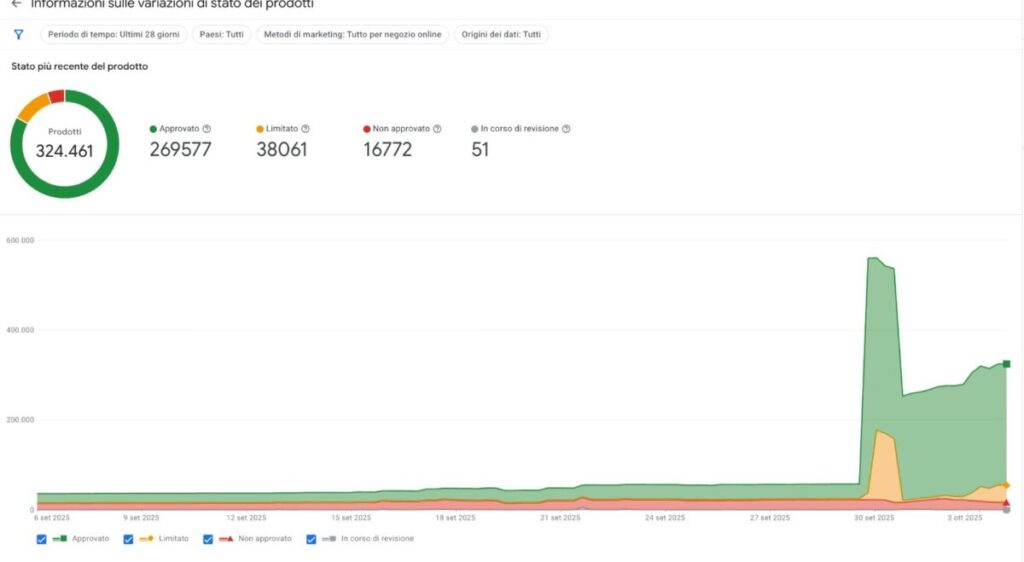
Solution: I had a personal file to resolve each singular problem. Below is a preview.
I audited the Google Merchant Center issues by exporting all the data into Google Sheets. For each specific error, I created a custom guide and a personalized template (shown below) to walk the team through the fix.

In Google Merchant Center, you can choose the main data source, Google or Shopify (and others).
If you set up Google, it automatically it insert the products that find in Google.
If you set up Shopify, you can have more control.
In this case, the client had been active with each other, so it created confusion.
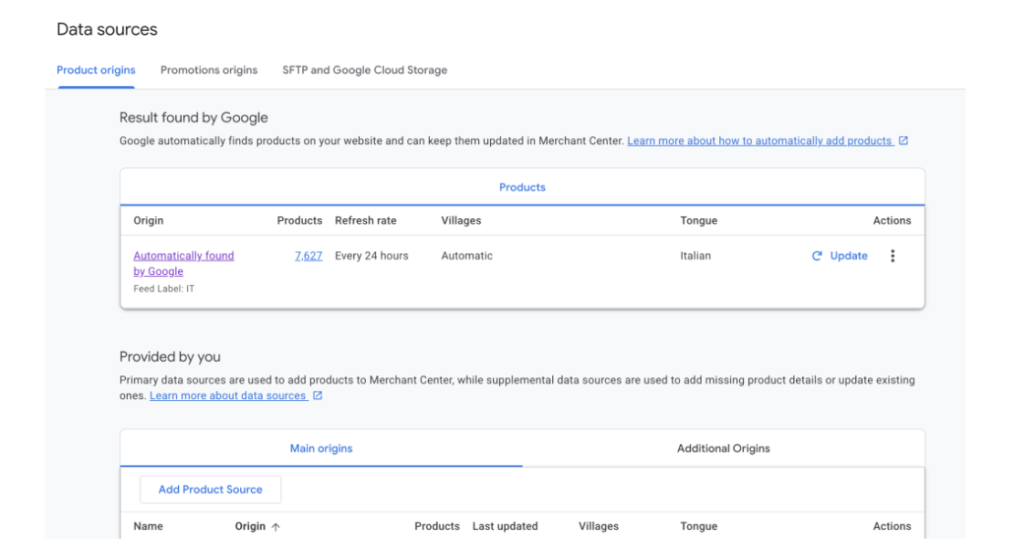
Solution: We removed the Google data sources and maintained the Shopify data source as the primary.
When we changed this aspect, we resolved many issues.
Fill in the correct data
Problem: We had many problems with business data.
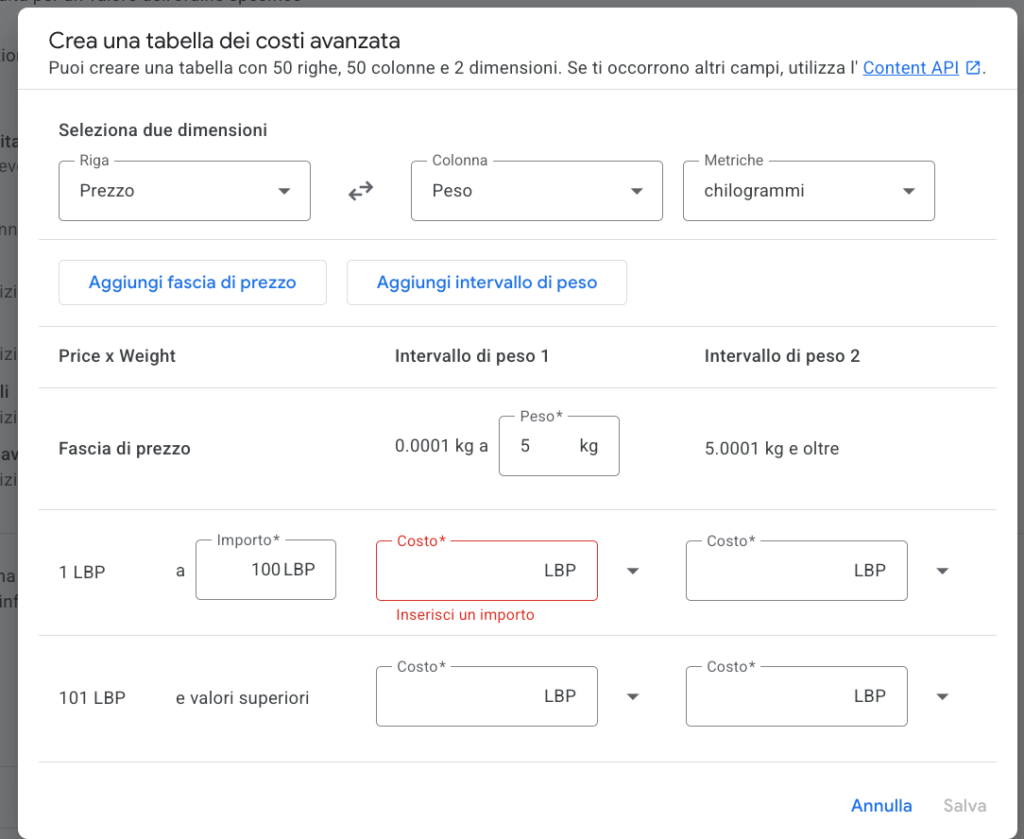
Solution: We audited Google Merchant Center business problems in detail, giving the client a complete checklist to resolve them.
GMC – Rules and supplementary feed
Many SEOs don’t optimize this part; it’s essential.
It permits you to create a logical pattern for your titles, optimizing for SEO and users.
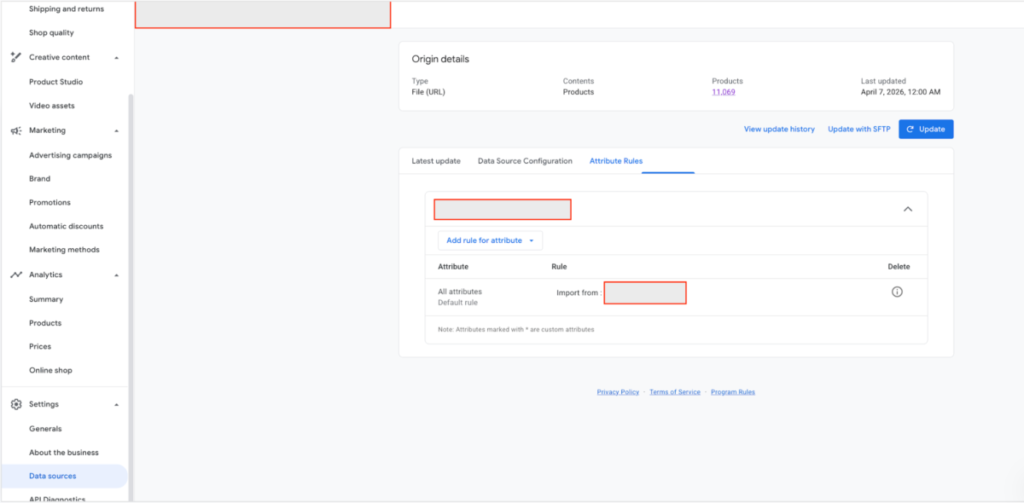
An aspect that we optimised:
Title →We made the title specific for the fashion market using the following pattern: Brand + Gender + Product type + Attributes (color, size, material).
We analysed many Google Shopping SERPs, finding 2-3 good patterns to tested.
Some results
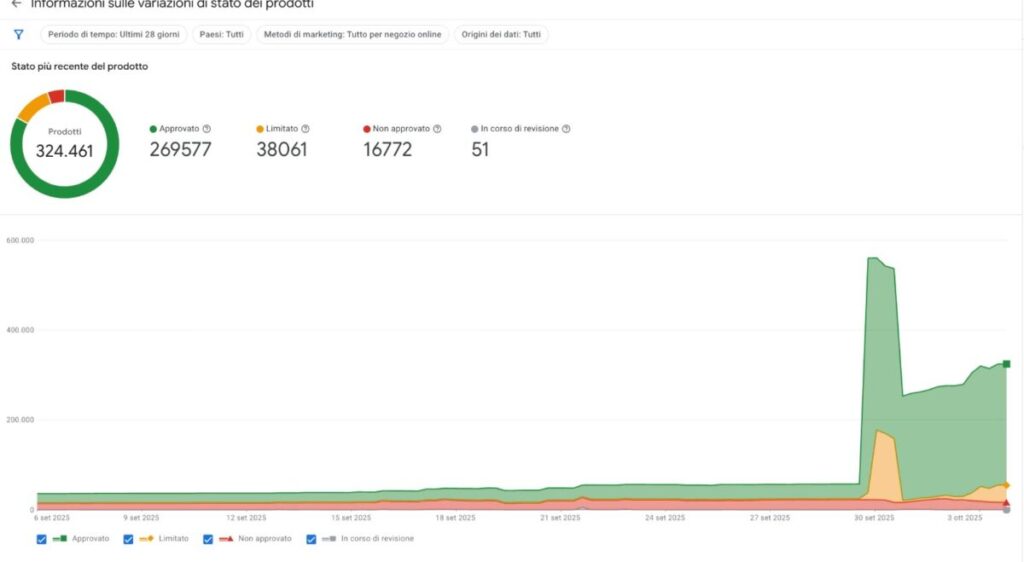
- After all implementations, we have a significant reduction of “product not approved”, improving the entire visibility in the product grids in Google.
We went from 18,000+ disapproved products to under 200.
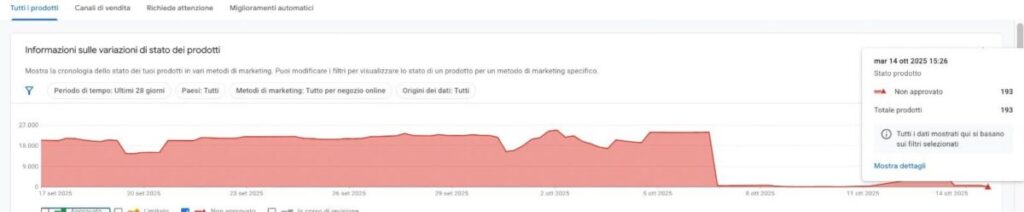
Products approved have risen exponentially.
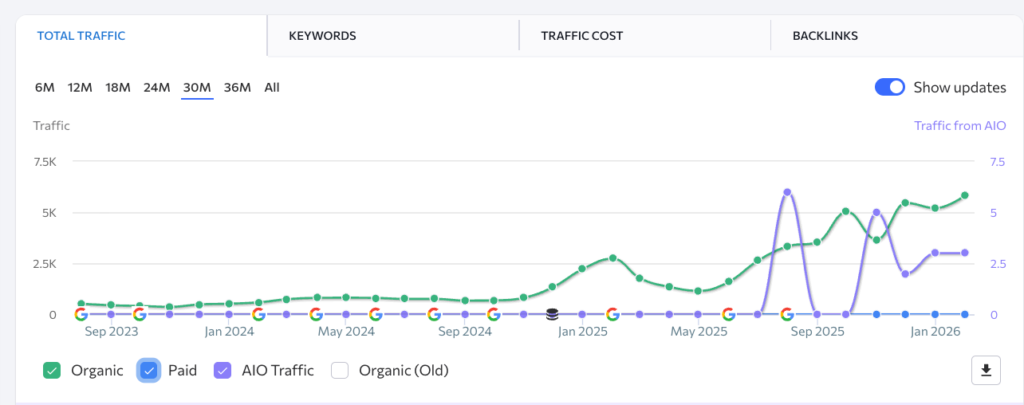
- Qualified organic traffic keeps growing, supporting the sales.
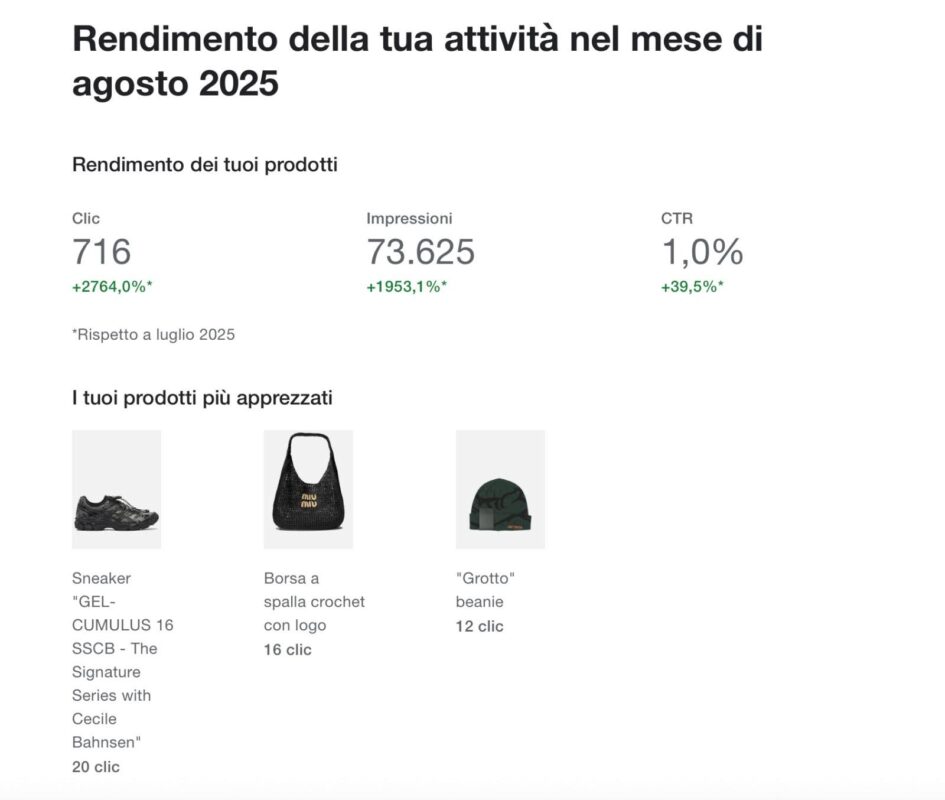
Optimised SEO title brought +276% of click growth in only one month.
My services are highly personalised to each client.
Some services I offer: